> ## Documentation Index
> Fetch the complete documentation index at: https://help.heymumble.com/llms.txt
> Use this file to discover all available pages before exploring further.
# AI Actions overview
> AI Actions decide what Mumble Dictation does with your speech: reshape it, run your own prompt, or act on it. Pick one with Fn+1 to Fn+9 or the arrow keys while you dictate.
AI Actions decide what Mumble does with your dictated words. There are three kinds: **Transform** actions reshape your text (Cleanup, Concise, Bullets, Emoji, Translate), **Custom prompts** apply your own instruction, and **Voice actions** act on what you said instead of typing it (Open, Ask, GIF).
## Picking an action while you dictate
You choose an action while you are still holding the dictation key, at any point before you release it:
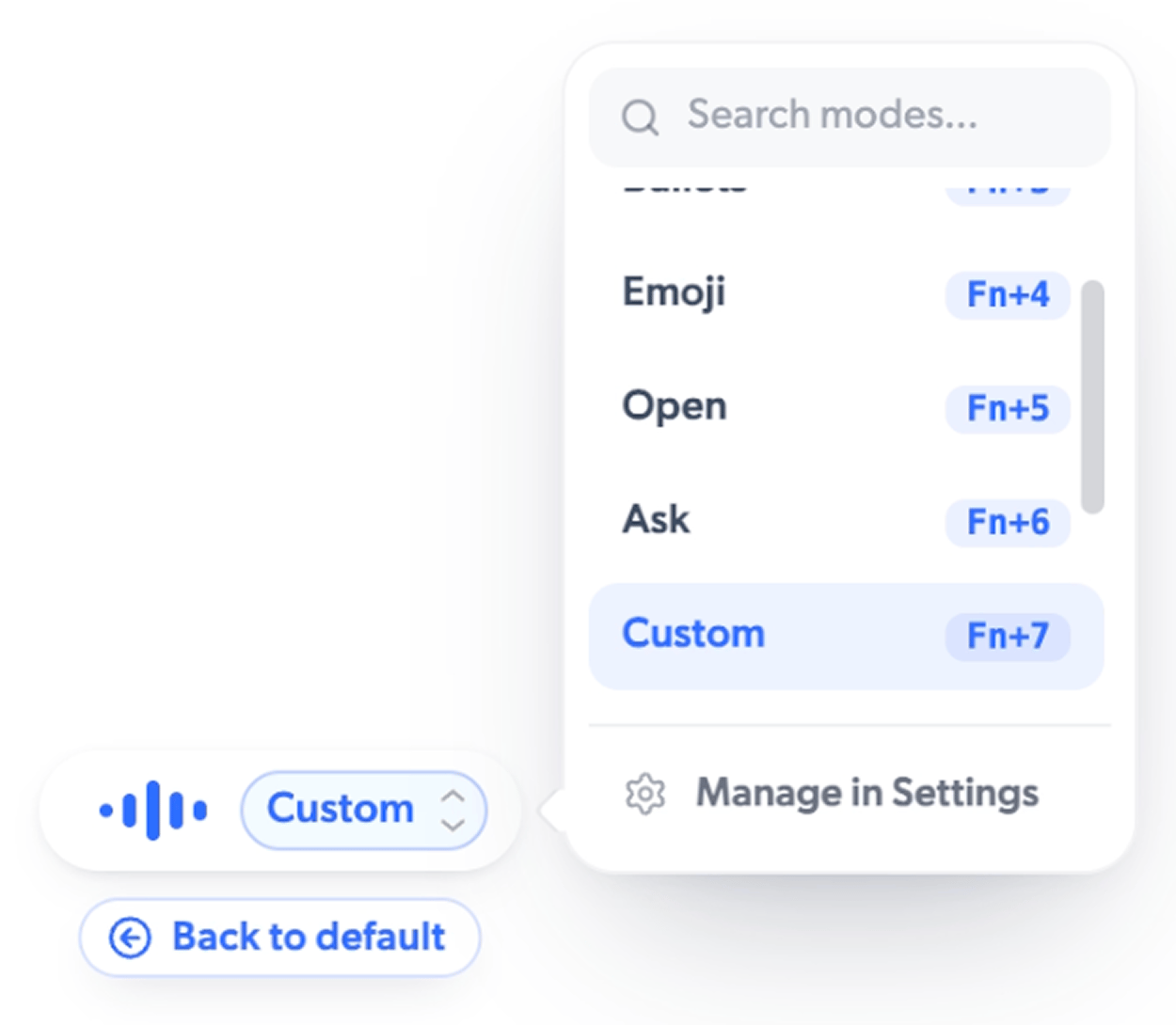
* **Number keys.** Press **Fn+1** through **Fn+9** to pick an action directly. **Fn+1** is always Cleanup, the default. The other numbers follow the order of your enabled actions. Out of the box that is **Fn+2** Concise, **Fn+3** Bullets, **Fn+4** Emoji, and **Fn+5** Translate.
* **Arrow keys.** Press **→** to expand the pill and show the current action; press **→** again to open a menu of all your actions. **↑** and **↓** move through them, **Enter** picks one, and **←** returns to the default. You can also type in the menu to search.
Release the dictation key and Mumble applies whatever was selected. If you never touch a key, Cleanup runs by default.
 ## Turning actions on, off, and reordering
Open **AI Actions** in the sidebar to manage everything. Each action has a toggle, and you can drag the handle on the **All** tab to reorder them. The number keys follow your order live, so the action you use most can sit on **Fn+2**. Voice actions (Open, Ask, GIF) are off by default; switch them on here.
AI Actions are a Pro feature. Every download includes 60 minutes of Pro to try
them, and without Pro you still get your transcript exactly as spoken. [See
Free vs Pro](/dictation/free-vs-pro)
## Related
* [Transform actions](/dictation/transform-actions)
* [Custom prompts](/dictation/custom-prompts)
* [Voice actions](/dictation/voice-actions)
## Turning actions on, off, and reordering
Open **AI Actions** in the sidebar to manage everything. Each action has a toggle, and you can drag the handle on the **All** tab to reorder them. The number keys follow your order live, so the action you use most can sit on **Fn+2**. Voice actions (Open, Ask, GIF) are off by default; switch them on here.
AI Actions are a Pro feature. Every download includes 60 minutes of Pro to try
them, and without Pro you still get your transcript exactly as spoken. [See
Free vs Pro](/dictation/free-vs-pro)
## Related
* [Transform actions](/dictation/transform-actions)
* [Custom prompts](/dictation/custom-prompts)
* [Voice actions](/dictation/voice-actions)