> ## Documentation Index
> Fetch the complete documentation index at: https://help.heymumble.com/llms.txt
> Use this file to discover all available pages before exploring further.
# Custom prompts
> Write your own instruction for how Mumble Dictation rewrites your speech, and trigger it with its own Fn number key.
A Custom prompt is your own instruction for how Mumble rewrites what you say. If the built-in Transform actions do not cover it, describe the output you want in a sentence or two, and it becomes a new action with its own number key.
## Create one
Open **AI Actions** in the sidebar and go to the **Custom prompt** tab.
Give the prompt a name and write the instruction, like "Translate into
Japanese." A live preview shows a before and after so you can check it does
what you mean.
Your prompt appears in the action list with the next free number key, shown
on its row.
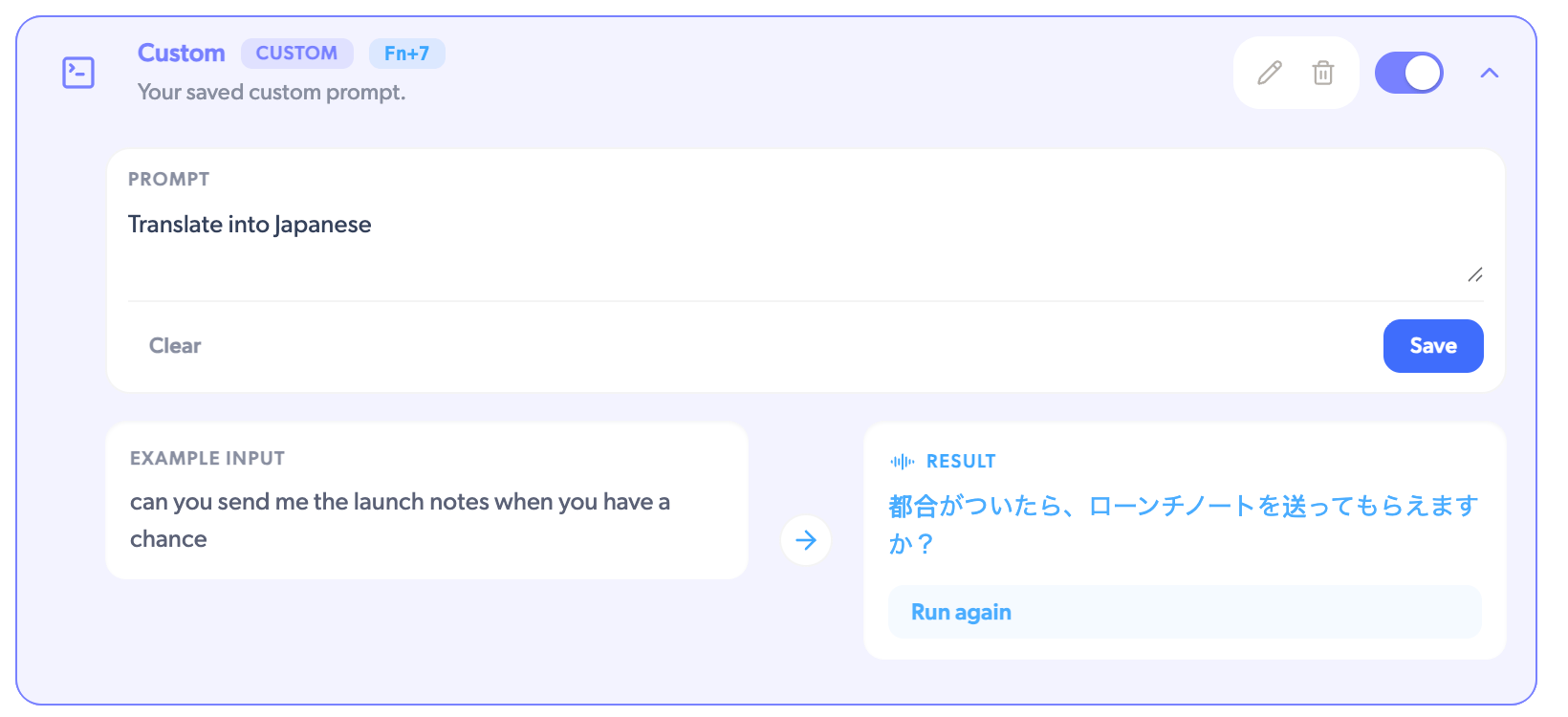 You can create as many prompts as you like and keep several enabled at once. Each enabled prompt gets its own **Fn** number, following your action order, so a favorite prompt can sit one keypress away. Rename or delete a prompt from its row.
Number keys cover up to Fn+9. Actions beyond that are still available from the
pill menu while you dictate.
## Prompt ideas
* **Translate.** "Translate to Spanish. Keep it natural and concise." Dictate in English, land in Spanish.
* **Change the tone.** "Rewrite as a polite, concise Slack message. Keep my names and jargon." Casual speech becomes a message you can send as-is.
* **Structure it.** "Rewrite as a numbered step-by-step guide." Spoken instructions become a checklist.
Prompts work best when they describe the output, not the process. "Make it a
two-line summary" beats "read this and think about what matters."
## Related
* [AI Actions overview](/dictation/ai-actions)
* [Transform actions](/dictation/transform-actions)
* [Free vs Pro](/dictation/free-vs-pro)
You can create as many prompts as you like and keep several enabled at once. Each enabled prompt gets its own **Fn** number, following your action order, so a favorite prompt can sit one keypress away. Rename or delete a prompt from its row.
Number keys cover up to Fn+9. Actions beyond that are still available from the
pill menu while you dictate.
## Prompt ideas
* **Translate.** "Translate to Spanish. Keep it natural and concise." Dictate in English, land in Spanish.
* **Change the tone.** "Rewrite as a polite, concise Slack message. Keep my names and jargon." Casual speech becomes a message you can send as-is.
* **Structure it.** "Rewrite as a numbered step-by-step guide." Spoken instructions become a checklist.
Prompts work best when they describe the output, not the process. "Make it a
two-line summary" beats "read this and think about what matters."
## Related
* [AI Actions overview](/dictation/ai-actions)
* [Transform actions](/dictation/transform-actions)
* [Free vs Pro](/dictation/free-vs-pro)