> ## Documentation Index
> Fetch the complete documentation index at: https://help.heymumble.com/llms.txt
> Use this file to discover all available pages before exploring further.
# Dictionary
> Teach Mumble Dictation your names, jargon, and acronyms so they come out spelled right. On Pro, it also learns new words from your screen.
The Dictionary teaches Mumble the words it would not know: names, jargon, acronyms. Add a word once and dictation gets it right, with the exact spelling and capitalization you entered. Open it from **Dictionary** in the sidebar.
## Add words yourself
Click **Add a word**, type it, and press Enter. That is the whole flow. Words you add live on the **Added by you** tab, where you can edit or delete them any time, and they work on the Free plan.
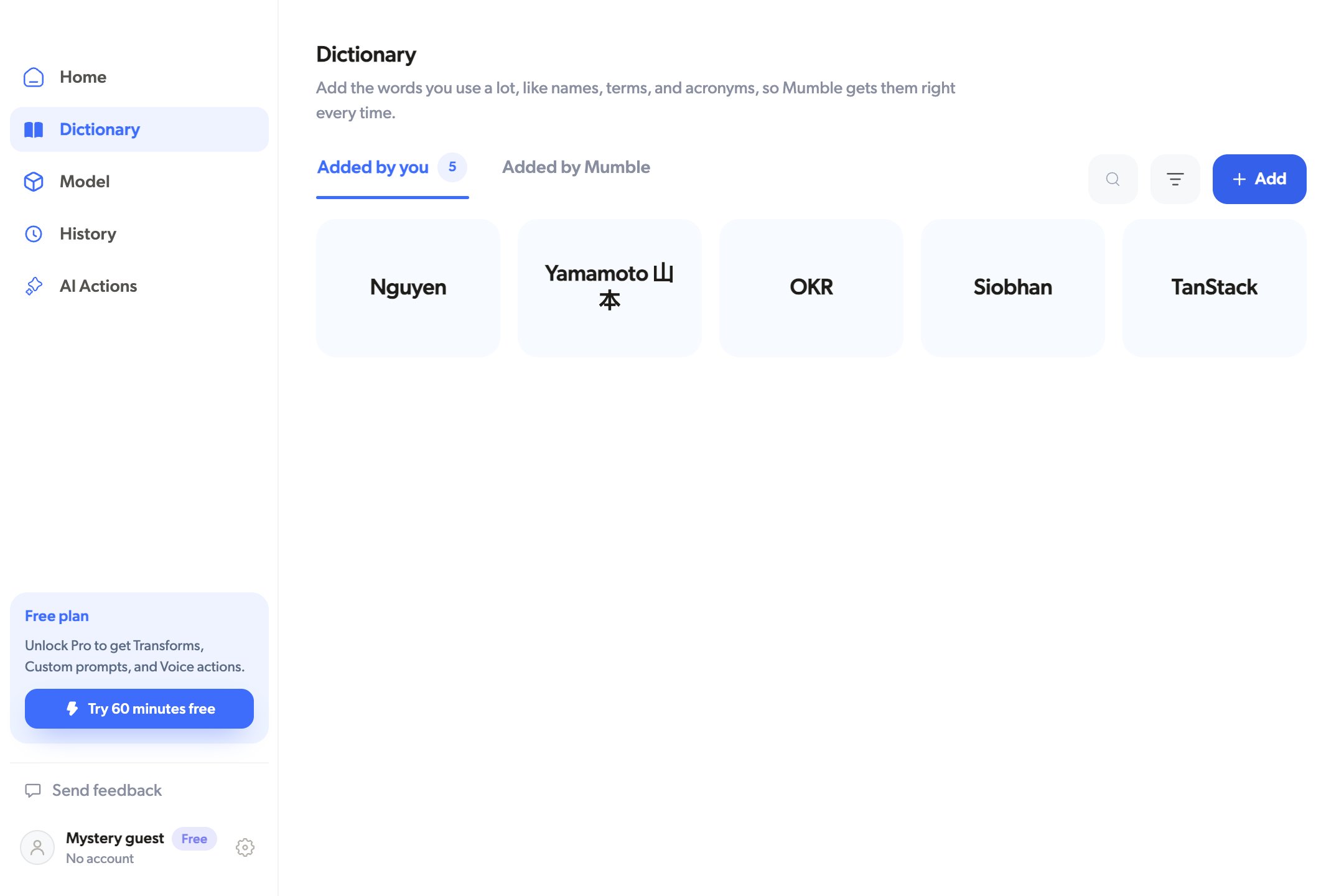 Capitalization counts: add "TanStack" and that is how it lands, not "tanstack". The same goes for names with non-English spellings, like "Yamamoto 山本" or "Siobhan".
Add the words you find yourself correcting after dictation. Product names,
teammates, and project codenames usually pay off first.
## Let Mumble learn words on its own
On Pro, Mumble can also pick up words by itself. While you dictate, it watches the words on your screen and adds unfamiliar ones, so the vocabulary of your project follows you without any typing. These land on the **Added by Mumble** tab, where you can delete any you do not want. Everything stays on your Mac.
To turn this on, enable **Auto-collect words from your screen** at the top of the Dictionary. It is off until you switch it on, and it needs the Accessibility permission you granted during setup.
Dictionary words are hints for recognition, not find-and-replace rules. They
tell Mumble how to spell a word when you say it; they do not rewrite text that
is already typed.
## Related
* [Languages](/dictation/languages)
* [Free vs Pro](/dictation/free-vs-pro)
* [Settings and shortcuts](/dictation/settings)
Capitalization counts: add "TanStack" and that is how it lands, not "tanstack". The same goes for names with non-English spellings, like "Yamamoto 山本" or "Siobhan".
Add the words you find yourself correcting after dictation. Product names,
teammates, and project codenames usually pay off first.
## Let Mumble learn words on its own
On Pro, Mumble can also pick up words by itself. While you dictate, it watches the words on your screen and adds unfamiliar ones, so the vocabulary of your project follows you without any typing. These land on the **Added by Mumble** tab, where you can delete any you do not want. Everything stays on your Mac.
To turn this on, enable **Auto-collect words from your screen** at the top of the Dictionary. It is off until you switch it on, and it needs the Accessibility permission you granted during setup.
Dictionary words are hints for recognition, not find-and-replace rules. They
tell Mumble how to spell a word when you say it; they do not rewrite text that
is already typed.
## Related
* [Languages](/dictation/languages)
* [Free vs Pro](/dictation/free-vs-pro)
* [Settings and shortcuts](/dictation/settings)