> ## Documentation Index
> Fetch the complete documentation index at: https://help.heymumble.com/llms.txt
> Use this file to discover all available pages before exploring further.
# Transform actions
> The five built-in Transform actions in Mumble Dictation: Cleanup, Concise, Bullets, Emoji, and Translate.
Transform actions reshape your dictated text before it lands. There are five built in: Cleanup, Concise, Bullets, Emoji, and Translate. Pick one with its number key or the arrow keys while you dictate, or set it from the pill menu. [See how selection works](/dictation/ai-actions)
## Cleanup
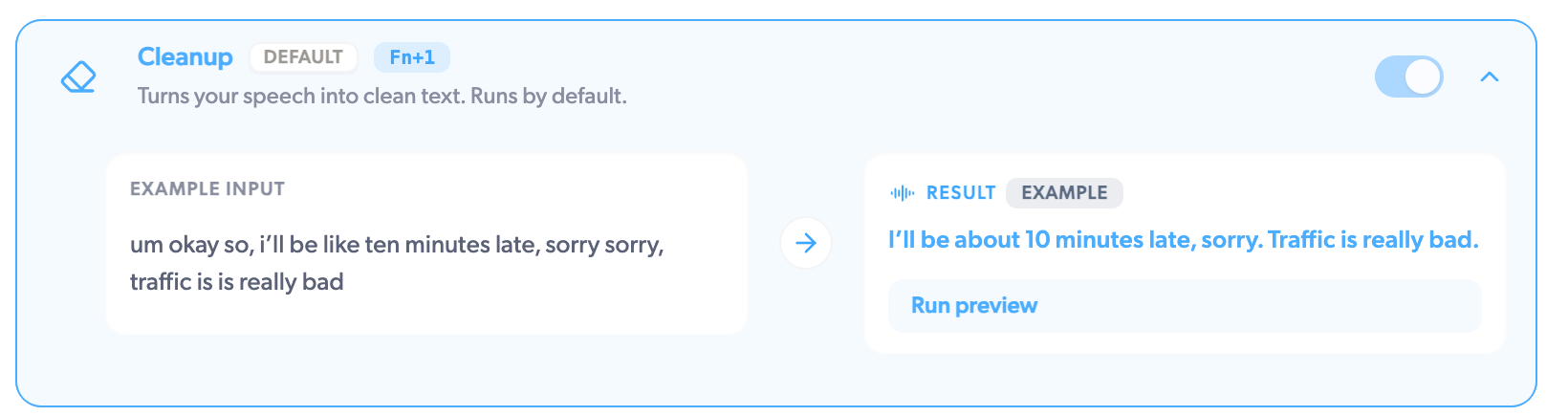
Turns your speech into clean text, and runs by default when you pick nothing else. It removes fillers and false starts, applies your self-corrections, fixes punctuation and capitalization, and tidies numbers, dates, and spoken URLs. Say "send it Tuesday, no wait, Wednesday" and you get "Send it Wednesday."
 ## Concise
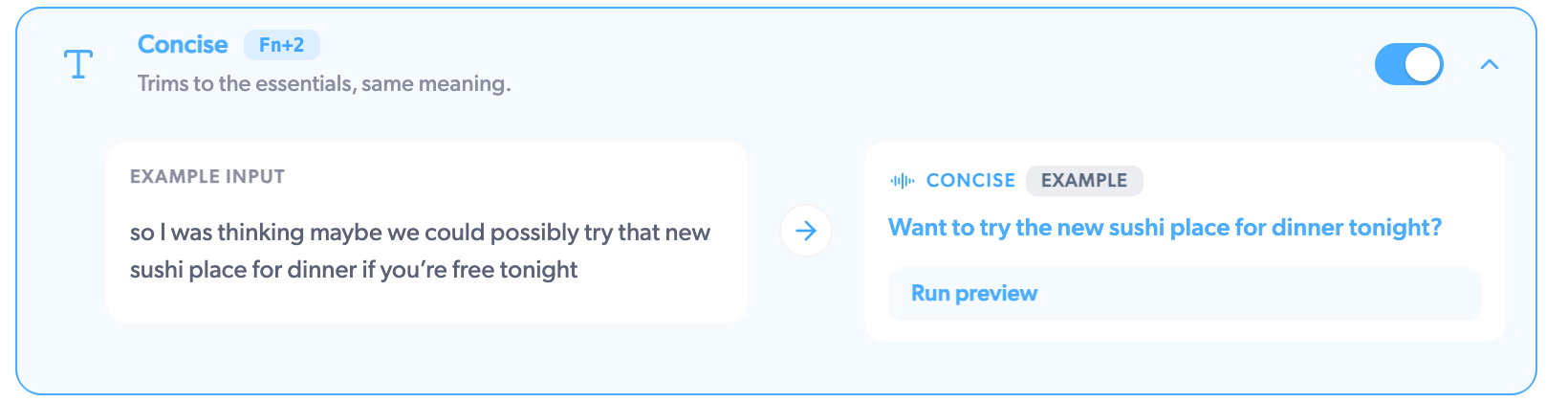
Trims your words to the essentials while keeping the meaning. It drops the framing and merges rambling sentences, but keeps every fact, number, and question. A minute of thinking out loud becomes the two sentences you actually meant.
## Concise
Trims your words to the essentials while keeping the meaning. It drops the framing and merges rambling sentences, but keeps every fact, number, and question. A minute of thinking out loud becomes the two sentences you actually meant.
 ## Bullets
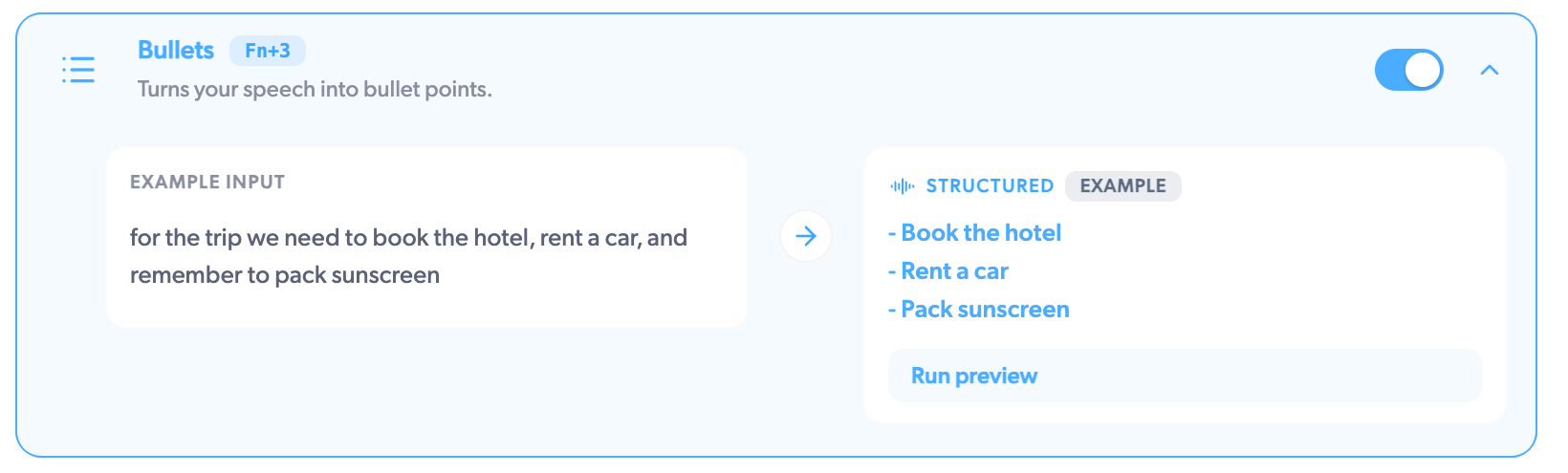
Turns your speech into a bullet point list, with short headings when your thought has natural sections. Ideal for dictating a plan, meeting prep, or a shopping list: "we need to book the venue, then email the speakers, and someone should check the budget" comes out as three tidy bullets.
## Bullets
Turns your speech into a bullet point list, with short headings when your thought has natural sections. Ideal for dictating a plan, meeting prep, or a shopping list: "we need to book the venue, then email the speakers, and someone should check the budget" comes out as three tidy bullets.
 ## Emoji
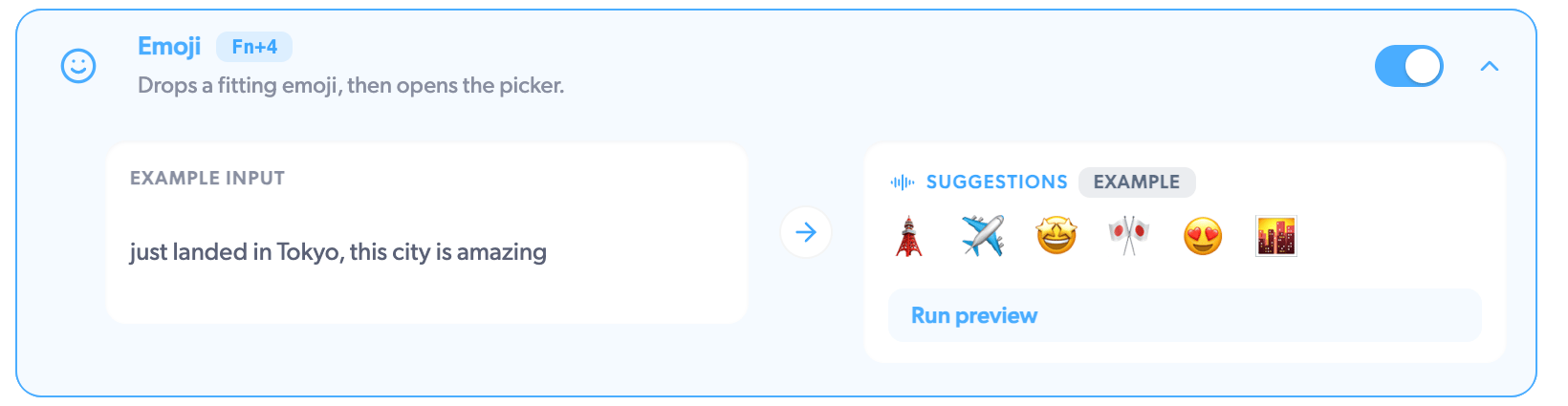
Finds emoji that fit what you said, then opens a small picker with the best matches. Use the arrow keys and Enter to drop one at your cursor. Say "that deadline is going to be tight" and pick from a row of fitting reactions.
## Emoji
Finds emoji that fit what you said, then opens a small picker with the best matches. Use the arrow keys and Enter to drop one at your cursor. Say "that deadline is going to be tight" and pick from a row of fitting reactions.
 ## Translate
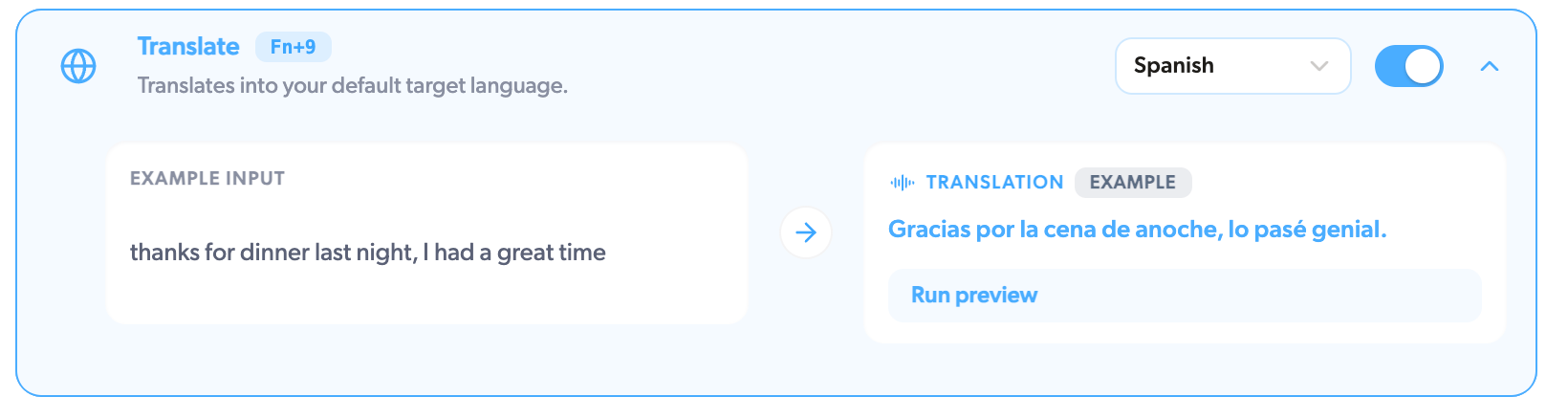
Translates your speech into your default target language, keeping the tone and formatting. Dictate in English, land in Spanish. Set the target language on the Translate row in **AI Actions**; you can pick any of Mumble's 40+ languages. [More on languages](/dictation/languages)
## Translate
Translates your speech into your default target language, keeping the tone and formatting. Dictate in English, land in Spanish. Set the target language on the Translate row in **AI Actions**; you can pick any of Mumble's 40+ languages. [More on languages](/dictation/languages)
 If none of these fit, write your own. A Custom prompt can reshape text any way
you can describe. [Set one up](/dictation/custom-prompts)
## Related
* [AI Actions overview](/dictation/ai-actions)
* [Custom prompts](/dictation/custom-prompts)
* [Languages](/dictation/languages)
If none of these fit, write your own. A Custom prompt can reshape text any way
you can describe. [Set one up](/dictation/custom-prompts)
## Related
* [AI Actions overview](/dictation/ai-actions)
* [Custom prompts](/dictation/custom-prompts)
* [Languages](/dictation/languages)