
Picking an action while you dictate
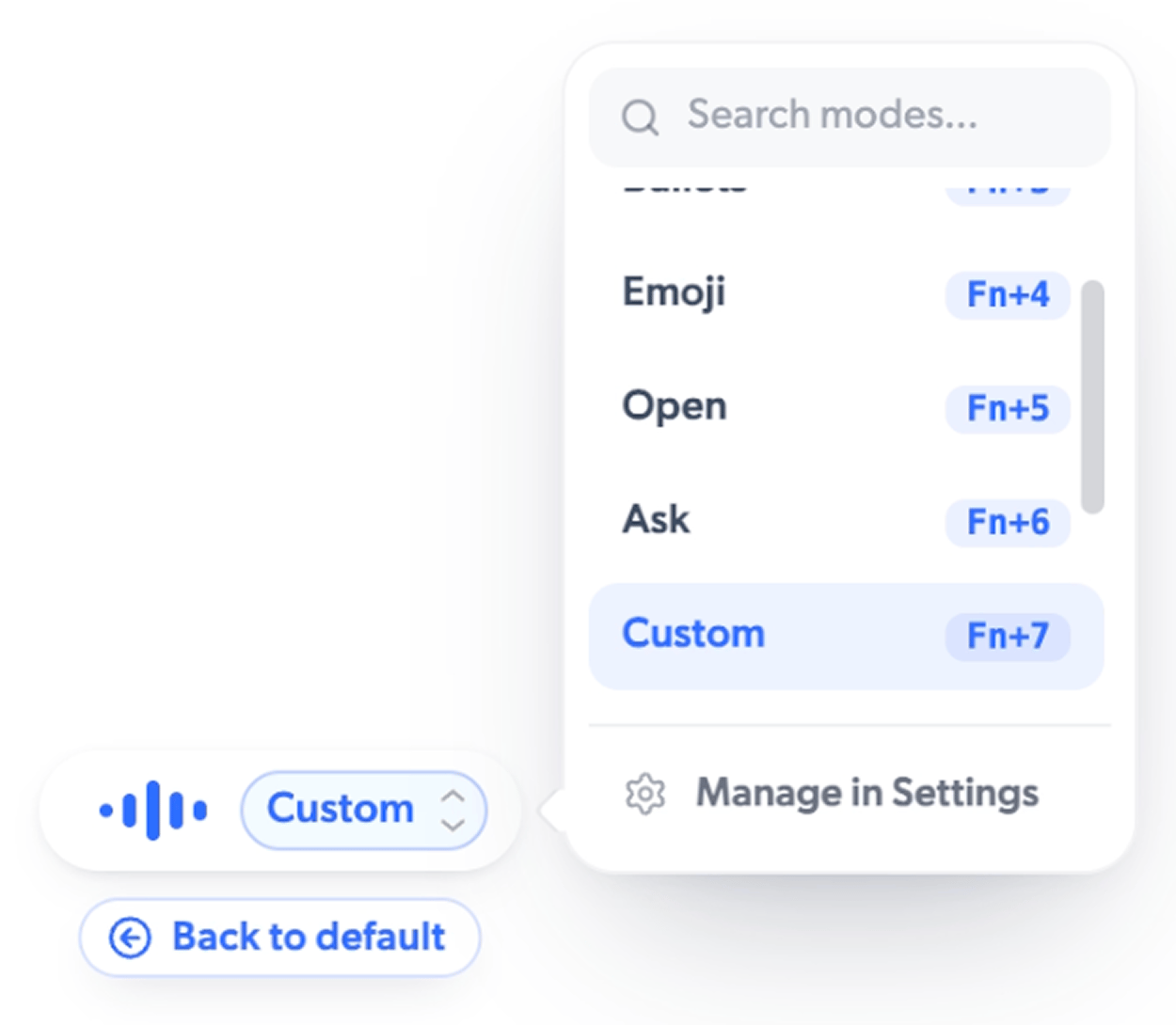
You choose an action while you are still holding the dictation key, at any point before you release it:- Number keys. Press Fn+1 through Fn+9 to pick an action directly. Fn+1 is always Cleanup, the default. The other numbers follow the order of your enabled actions. Out of the box that is Fn+2 Concise, Fn+3 Bullets, Fn+4 Emoji, and Fn+5 Translate.
- Arrow keys. Press → to expand the pill and show the current action; press → again to open a menu of all your actions. ↑ and ↓ move through them, Enter picks one, and ← returns to the default. You can also type in the menu to search.
Turning actions on, off, and reordering
Open AI Actions in the sidebar to manage everything. Each action has a toggle, and you can drag the handle on the All tab to reorder them. The number keys follow your order live, so the action you use most can sit on Fn+2. Voice actions (Open, Ask, GIF) are off by default; switch them on here.AI Actions are a Pro feature. Every download includes 60 minutes of Pro to try
them, and without Pro you still get your transcript exactly as spoken. See
Free vs Pro